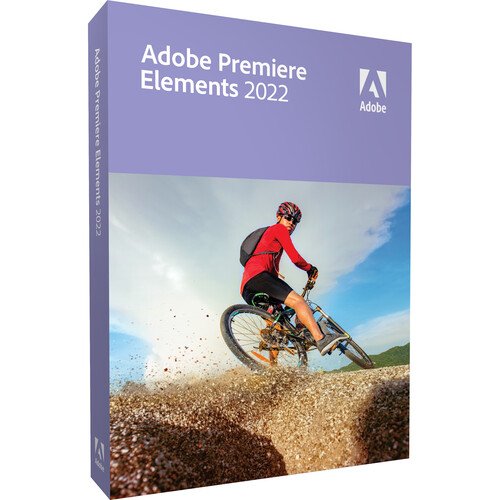
Adobe Premiere Elements 2022 PC/Mac Video Editing Software – Easy, Creative Video Editing
Adobe Premiere Elements 2022 PC/Mac Video Editing Software is a user-friendly video editing application designed for beginners, hobbyists, and home creators who want powerful editing tools without the complexity of professional-grade suites. Available for both
Windows PC and Mac, this software makes it simple to create polished videos with intuitive controls, guided edits, and automated features that help you bring your ideas to life.
Whether you’re editing vacation footage, enhancing family videos, creating social media content, or making short films, Premiere Elements 2022 provides easy-to-use tools that help you produce professional-looking results.
Product Overview – Adobe Premiere Elements 2022
Adobe Premiere Elements 2022 is part of Adobe’s Elements family, tailored to users who want a balance of creative power and simplicity. Unlike the full Creative Cloud solutions, this edition is sold as a
standalone licence with no recurring subscription required. After buying and downloading the software, you own it permanently for your device.
This version is ideal for those who want dependable video editing without a steep learning curve, combining automatic tools with creative options.
Easy and Guided Editing
Premiere Elements 2022 includes
step-by-step guided edits that help users learn creative techniques while completing them. These guides make it simple to:
- Crop, trim, and merge clips
- Add titles, transitions, and effects
- Create animated montages
- Apply colour correction and filters
- Fix shaky footage and improve audio
These guided tools make complex edits accessible even if you have little or no prior video editing experience.
Intelligent Editing and Automation
Adobe Premiere Elements uses
automated features to speed up your workflow:
- Auto-create movies: Automatically assembles clips and photos into finished videos with themes and music
- Smart trimming: Detects and removes unwanted footage
- Auto-tagging and organisation: Helps you organise media based on people, themes, and events (PC/Mac)
- Music and audio enhancements: Suggested soundtracks and easy audio adjustments
These tools help you focus on creativity instead of technical details.
Enhanced Effects and Creative Options
Premiere Elements 2022 offers a collection of creative effects and features:
- Stylised looks and overlays
- Transitions and motion titles
- Green screen and keying effects
- Split-screen video layouts
- Slow motion and time remapping (Windows/Mac support may vary)
These features help add visual flair and professional appeal to your videos.
Compatibility and Cross-Platform Support
This software is compatible with both
Windows PC and
macOS systems, enabling creators on either platform to edit, export, and share their videos. After purchase, you can download the software directly via Adobe’s installers.
Full Specifications Table
| Component |
Specification |
| Product Name |
Adobe Premiere Elements 2022 |
| Software Type |
Video Editing Software |
| Licence Type |
Perpetual / Standalone Licence |
| Delivery |
Digital Download |
| Platforms Supported |
Windows PC, macOS |
| Editing Modes |
Quick, Guided, Expert |
| Key Features |
Auto-create video, guided edits, effects, transitions |
| Media Support |
Video, photo, audio formats |
| Export Options |
Social platforms, devices, disc |
| Integration |
Works with Photoshop Elements (optional) |
| System Requirements |
Windows 10 (64-bit) / macOS (latest supported) |
| Vendor |
Adobe |
Why Choose Adobe Premiere Elements 2022
Adobe Premiere Elements 2022 is perfect for anyone who wants to
edit videos quickly and creatively without the complexity or cost of professional-level suites. Its combination of guided tutorials, automated tools, and creative features is ideal for:
- Home video projects
- Social media content
- Personal slideshows and montages
- Small business promotional videos
- School or hobbyist film projects
Because it’s a one-time purchase with lifetime access, you get long-term value without subscription fees.
Common Uses
- Combining clips and photos into memorable videos
- Editing and trimming footage for clarity and impact
- Adding titles, music, and transitions
- Creating thematic montages or slideshows
- Enhancing audio and correcting colour
FAQs – Adobe Premiere Elements 2022
Q1: Is this a subscription product?
No. It is sold as a
standalone licence with one-time purchase and digital download.
Q2: Can I use this on both PC and Mac?
Yes. It supports both Windows and macOS (system compatibility varies by version).
Q3: Do I need an internet connection to use it?
You need an internet connection for
download, activation, and updates, but editing can be done offline once installed.
Q4: Is this suitable for beginners?
Yes. Guided edits and intuitive controls make it ideal for beginners and casual editors.
Q5: Does it include professional features like Adobe Premiere Pro?
It includes many creative tools and effects, but it is geared toward
consumer-level editing rather than the full professional feature set found in Premiere Pro.
Final Summary
Adobe Premiere Elements 2022 PC/Mac Video Editing Software delivers
easy, intuitive editing, powerful automation, and creative tools in a
standalone, one-time purchase format. It’s an excellent choice for individuals and small businesses looking to edit, enhance, and share videos with professional-quality results without a subscription.